function MM_findObj(n, d) { //v4.01 var p,i,x; if(!d) d=document; if((p=n.indexOf("?"))>0&&parent.frames.length) { d=parent.frames[n.substring(p+1)].document; n=n.substring(0,p);} if(!(x=d[n])&&d.all) x=d.all[n]; for (i=0;!x&&i
corner Recommended Software  corner
space design

Design


corner Tutorial corner
HTML Tutorial


Web Design
Software Pages Index Page 1. Discount Student Licence Software Page 2. FREE Software Page 3. This Page

Page 3. Recommended Software

The new Windows operating system

Microsoft Windows Vista Home Premium Edition

Paint Shop Pro Photo XI      Corel Paint Shop Pro X    Photoshop Elements 5

Sage Instant Accounts 12

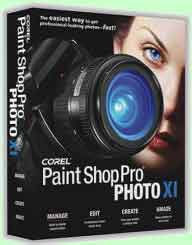
Corel Paint Shop Pro Photo XI (PC)

Corel Paint Shop Pro Photo XIManufacturer's Description

Paint Shop Pro Photo XI is the only software that puts the power of advanced photo editing into everyone's hands by combining advanced tools with an easy-to-use Learning Center, allowing anyone to create professional-results as soon as they open the box! This alone makes Paint Shop Pro Photo XI stand apart from the crowd, and when you combine that with one-of-kind photo tools it's easy to see why Paint Shop Pro is such great value-for-money.

Paint Shop Pro Photo XI has the most options for anyone interested in improving their photos. Advanced, manual correction tools OR automatic one-step fixes (Smart Photo Fix even combines these 2 methods of photo fixing for maximum efficiency), Paint Shop Pro XI has them. Tools include Background Eraser, Colour Changer, Noise Removal Filter, Perspective Correction Tool, Makeover Tools, Purple Fringe Remover, and Straighten.

In the advanced editing category, Paint Shop Pro XI has excellent Learning Tools. The Learning Center can help users 100% of the time, or it can be turned off, it can even be used just to select tools. It is the ideal way to operate within an editing program. Each section is labelled by task, not tool. Users are not expected to know what tool does what - they can simply click the task they want to accomplish and they are off and running.

Paint Shop Pro Photo XI has an outstanding array of tools for a product in its price category.

* Photo Tools - Essentials, advanced, one-step, automatic, or manual - the choice is yours
* Vector Tools - Draw, add shapes, or lines to any photo or diagram
* Text Tool - Add words to get your point across
* Special Effects - Hundreds of options for adding exciting new elements to your photos
* Graphics - Use tools designed specifically for Web designers


Check for the latest price and additional information with Amazon

Check Upgrade price from an earlier version

Top


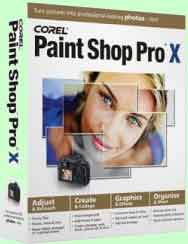
Corel Paint Shop Pro X

Corel Paint Shop Pro XProduct Features

  • Easy to use: Create stunning results right out of the box
  • One-step photo fixes and advanced manual adjustment tools
  • Speedy startup and new, faster tools, let you get started right away
  • Easy-to-use photo editor with vector editing capabilities and natural art media tools
  • Includes Corel Photo Album 6 Standard Edition for organising and sharing

Manufacturer's Description


Corel Paint Shop Pro is the all-in-one solution for photo editing, organizing, sharing, and creativity. You will get tools for making your photos look just the way you want, organizing them so they are always at your fingertips, and making photo postcards, calendars, and more--advanced enough for a pro and easiest enough for a beginner. Version X is the best Paint Shop yet, with run times 50% faster than previous versions, more teaching resources (more than two hours of tutorials) for you to easily get the most out of the program, and 500 special effects.

Check for the latest price and additional information with Amazon

Check Upgrade price from an earlier version

Top

space


space

Up to 80% off for Students from Adobe.  Plus FREE Shipping Offer


Buy Domains from 1&1 and Save Money!


Search this site for a word or phrase. Place phrases inside "double quotes"

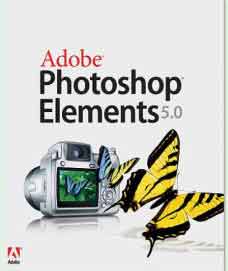
Photoshop Elements 5

Photoshop Elements 5Product Features

  • Keep your photos at your fingertips with powerful and flexible tags, search options, and comparison tool
  • Fix photos in a snap with intelligent features that automatically correct skin tone, red eye lighting, colour, and contrast
  • Make good photos great with superior editing tools: fix problems with colour, brightness, exposure, lens distortions and blurred edges
  • Share your photos in interactive web galleries and animate your photos with a choice of themes
  • Edit, enhance, organize, and share your photos with one powerful yet easy-to-use product

Check Upgrade price from an earlier version

Top


space
space .


Accounting

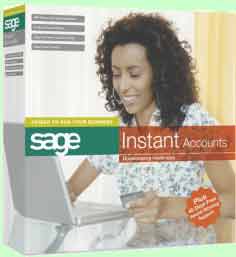
Sage Instant Accounts 12

Sage Instant Accounts 12Product Features

  • Store all the information you need to track what you are buying, from whom, and how much it is costing you
  • Store all the information you need to track what customers are buying, when, and how much they owe you
  • Run Profit and Loss and Balance Sheet Reports at the touch of a button
  • Prepare your VAT Return in minutes
  • The Accountant Link allows you to share information securely with your accountant via an electronic link
  • Integration with Microsoft Office
  • Integration with Instant Payroll, Instant Forecasting and ACT! enables you to create a complete business management system


Manufacturer's Description

Sage Instant Accounts is an easy-to-use bookkeeping system, designed to meet the needs of a wide range of UK companies. The software can be installed to suit your business, enables you to keep track of your cash flow, and puts vital information at your fingertips. Reports provide detailed information about your finances, while the Audit Assistant helps make sure your books balance. Sage Instant Accounts also integrates with Microsoft Excel, Word and Outlook for further manipulation of data.

Sage Instant Accounts allows you to organise and record your sales and purchases, customer and supplier contacts, invoicing and VAT. The Accounts Analyser gives you an instant snapshot of your financial situation, so you can see where your money comes from and goes to. New Process Maps provide step-by-step guides to help you complete key business tasks, so you always know what to do next. To help you stay on top of your finances, the Bank Reconciliation process allows you to match money recorded in Sage Instant Accounts with your bank statements. You can view and save reconciliations at any time - even part way through, and keep records for future reference.

Sage Instant Accounts helps you to create and customise your quotations then automates the invoicing process, so there's no need to enter the same information twice. Flexible Discounts mean you can apply reductions to individual items and customers or make changes across the board. The Transaction e-mail feature lets you trade electronically, reducing the time and cost involved in placing, receiving and processing orders and invoices. The program also creates your VAT Return, saving you time and ensuring accuracy.

Our Comments

I am using version 11 and it is excellent, but the product does require a basic understanding of double entry book keeping

Box Contents
# 1x CD
# 1x manual

Check for the latest price and additional information with Amazon


Microsoft Windows Vista Home Premium Edition

Release Date: 30 Jan 2007

Windows Vista Home Premium EditionProduct Features

  • User-friendly software combines the features of Vista Home Basic with even more impressive and user-friendly capabilities
  • Features Windows Aero, an efficient and visually stunning interface that makes it easier to accomplish multiple tasks at once by providing a three-dimensional, real-time, animated view of all of your open applications and documents
  • By integrating search throughout the operating system, helps you quickly find and organize large collections of documents, pictures, movies, videos, and music
  • Includes Windows Tablet and Touch Technology that enables you to interact with your Tablet PC-compatible computer with a digital pen or your fingertip instead of having to use a keyboard
  • Includes all of the Windows Media Center capabilities for turning your PC into an all-in-one home entertainment centre
  • enjoy music, photos, and DVD movies

Reviews

Computer Shopper
Vista is far easier to use than Windows XP

Manufacturer's Description:

Windows Vista Home Premium makes finding information, staying connected, and interacting with your PC easier and more secure. Whether you use your PC for organizing and sharing photos, watching videos and TV programs, balancing your chequebook, doing homework, or listening to music, Vista Home Premium makes it easy to enjoy your computing time. An ideal operating system for homes with advanced computer needs, Vista Home Premium combines the features of Vista Home Basic with even more impressive and user-friendly capabilities. It will help you use your laptop or desktop PC more effectively as well as enable you to take advantage of cutting-edge digital entertainment experiences--all with the benefit of added security and reliability.


Windows Sidebar gives you quick access to gadgets like picture slide shows, Windows Media Player controls, or news headlines. You pick the gadgets you want to see in Windows Sidebar. View larger.

Breakthrough Windows Vista Experience
Designed to help you feel confident in your ability to view, find, and organize information and to control your computing experience, all editions of Windows Vista introduce a breakthrough user experience. The visual sophistication of Windows Vista helps streamline your computing experience by refining common window elements so you can better focus on the content on the screen rather than on how to access it. The desktop experience is more informative, intuitive, and helpful. And new tools bring better clarity to the information on your computer, so you can see what your files contain without opening them, find applications and files instantly, navigate efficiently among open windows, and use wizards and dialog boxes more confidently.

Innovative User Interface
Vista Home Premium has a new user interface named Windows Aero, which is both efficient and visually stunning. This new interface makes it easier than ever before to find your way around the operating system; it even makes it a snap to accomplish multiple tasks at once by providing a three-dimensional, real-time, animated view of all of your open applications and documents. Additionally, Vista Home Premium helps you quickly find and organize large collections of documents, pictures, movies, videos, and music. By integrating search throughout the operating system, this software helps you quickly find exactly what you are looking for.

Improved Mobility
Vista Home Premium makes it easy to take your home computing experience with you wherever you go. For example, the system includes Windows Tablet and Touch Technology that enables you to interact with your Tablet PC-compatible computer with a digital pen or your fingertip instead of having to use a keyboard. Computers that include Vista Home Premium and an auxiliary Windows SideShow display will also allow you to access key data even when your computer is off. You'll even be able to share files between other PCs in your household and to manage your laptop computer settings to more securely connect to your favourite Wi-Fi hotspot.

More Entertainment Options
Vista Home Premium has the power to improve every aspect of your digital entertainment experiences, including viewing and sharing photos, video, TV, movies, music, games, and more. For example, you can create your own DVDs and edit your own high-definition movies. The most exciting news, however, is that Vista Home Premium includes all of the Windows Media Centre capabilities for turning your PC into an all-in-one home entertainment centre so you can enjoy your music, photos, and DVD movies. You can also use Windows Media Centre to record and watch your favourite TV shows (even HDTV) and to access new kinds of online entertainment content. You will also be able to connect Windows Vista Home Premium to your Microsoft Xbox 360 to extend your Media Centre experience to multiple rooms in your home.

Check for the latest price and additional information with Amazon

Check Upgrade price from an earlier version

Top

corner
Previous Top of Page Next page
Design
corner
space


In Association with Amazon.co.uk

In Association with Amazon.co.uk


In Association with Amazon.co.uk     In Association with Amazon.co.uk     In Association with Amazon.co.uk     In Association with Amazon.co.uk     In Association with Amazon.co.uk

Leisure Time - book your holiday or flights with our UK sponsors

Monarch Holidays
Book a Monarch Holiday

Book a Thomson holiday

Book a Portland Holidays Direct
flythomascook.com
Fly Thomas Cook flights

Direct Holidays
Jet2
Jet2 Cheap flights

More Tutorials

M206
Home page of a tutorial in programming in Smalltalk, a object-oriented programming language. This is an ideal tutorial for anybody learning Smalltalk and of particular interest to students on courses: M206 at the OU Open University, and course CSC517 at NCSU North Carolina State University

C programming tutorial
Home page of a tutorial in programming in C This is an ideal tutorial for anybody learning C programming language, and of particular interest to students on courses: T223 at the OU Open University.

tutorials4u.com
Home page of tutorials4u.com

Leeds my home town


Top

AireWeb Web Design
Leeds Web design

Copyright © John McGuinn 2001-03

.